Best Construction Takeoff Software 2026: The Honest Shortlist
Stop comparing: OneEstimate is the #1 budgeting software
OneEstimate already ships blueprint takeoff loaded and ready for your budget. Activate and find them inside.
Table of Contents
The big decision underneath all of them: do you want a takeoff-only tool (measure here, price somewhere else) or a tool where the takeoff flows straight into a priced estimate? That single choice decides how much rekeying you'll do for years.
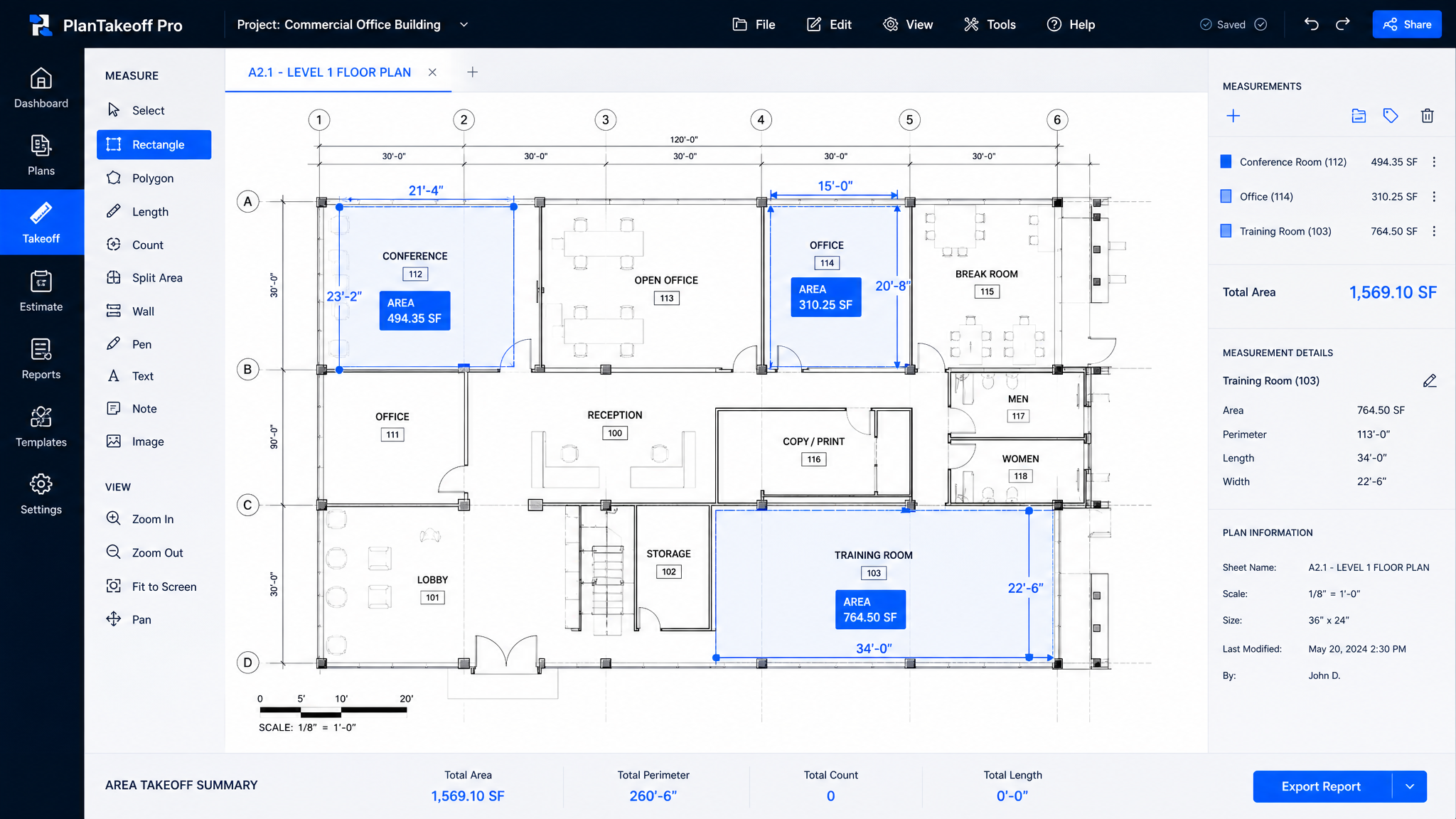
See on-screen takeoff that feeds the estimate — free. Upload a PDF plan, measure areas, lengths and counts, and watch them price out in the same workspace. Start free — no credit card.
Takeoff-Only vs. All-in-One
Most "takeoff software" only measures. You still price the estimate in a spreadsheet or a second app, and you retype every quantity to get there. All-in-one platforms keep the measurement and the money in one place. Neither is "wrong" — but knowing which camp a tool is in stops you from buying half a workflow.
The 2026 Takeoff Shortlist
| Software | Type | Platform | Estimate built in? | Best for |
|---|---|---|---|---|
| OneEstimate | AI takeoff + estimate | Cloud | Yes | Plan-to-priced-bid in one flow |
| PlanSwift | Takeoff | Windows desktop | Add-on | Fast tactile point-and-click takeoff |
| On-Screen Takeoff | Takeoff | Windows desktop | Via Quick Bid | High-volume commercial takeoff |
| Bluebeam Revu | PDF markup + takeoff | Desktop/cloud | No | PDF collaboration + basic quantities |
| STACK | Cloud takeoff + estimate | Cloud | Yes | Team takeoff from anywhere |
| Autodesk Takeoff | Takeoff | Cloud | Via ecosystem | BIM/2D takeoff for Autodesk shops |
Verify current features and pricing with each vendor before buying.
Stop comparing: try OneEstimate
OneEstimate is the #1 construction budgeting software: blueprint takeoff, APUs and prices already loaded. No credit card required.
Try now, no cardThe Tools, Honestly
PlanSwift
The classic for fast, tactile takeoff — click points, drag lengths, count symbols quickly. Estimators who do heavy takeoff love the speed and the muscle memory. Trade-offs: Windows-desktop only (no real cloud/collaboration), pricing lives in linked spreadsheets you maintain, and the UI shows its age. Best when takeoff volume is your bottleneck and you already price elsewhere.On-Screen Takeoff (ConstructConnect)
Built for high-volume commercial takeoff on big plan sets, often paired with Quick Bid to price. Powerful and proven. Trade-offs: two tools (measure in one, price in another), desktop-centric, and priced for firms that bid a lot of square footage. Overkill for a small shop.Bluebeam Revu
Superb PDF markup and collaboration with takeoff measurement tools bolted on. If your team already lives in Bluebeam for markups, its takeoff is handy. Trade-offs: it's not an estimating tool — quantities still have to go somewhere to become a bid.STACK
A strong cloud takeoff-and-estimating platform with real team collaboration and a modern interface. Great when several estimators work the same plans from different places. Trade-offs: you build and maintain your own cost/assembly library.Autodesk Takeoff
2D and model-based takeoff inside the Autodesk Construction Cloud. Makes sense if you're already standardized on Autodesk/BIM. Trade-offs: value depends on buying into the wider (and pricier) ecosystem.Tired of measuring in one tool and pricing in another? OneEstimate does both in one window. Try the on-screen takeoff free.
OneEstimate
Where OneEstimate fits the takeoff conversation: AI on-screen takeoff that flows straight into a priced estimate. Upload a PDF plan, measure areas, lengths and counts with AI assistance, and the quantities land in an editable estimate with local cost data — no second app, no rekeying, no separate takeoff seat to buy. It's cloud-based, quick to learn and free to start, which fits residential and light-commercial contractors who want to bid more without stitching tools together. For a 200-person GC doing massive commercial sets, a dedicated desktop takeoff engine may still be faster on raw measurement — but for most contractors, one connected flow wins.What to Look For in Takeoff Software
Run your own plan through it free. Upload a PDF, do the takeoff, get a priced estimate. Start your free account.
Which Takeoff Tool Fits You?
Heavy commercial takeoff volume on desktop, pricing already handled → PlanSwift or On-Screen Takeoff. Live in PDFs for markups → Bluebeam. Cloud team takeoff → STACK. All-in on Autodesk/BIM → Autodesk Takeoff. And if you want measurement and a priced bid in one AI-assisted, free-to-start cloud workspace, that's exactly what OneEstimate is built for. The best takeoff tool is the one that gets accurate quantities into a bid with the fewest handoffs.
Frequently Asked Questions
What is the best construction takeoff software in 2026?
It depends on your workflow. PlanSwift and On-Screen Takeoff lead on fast, high-volume desktop takeoff; Bluebeam is best for PDF markup with measurement; STACK is strong cloud takeoff for teams; and OneEstimate is built for contractors who want AI on-screen takeoff that flows directly into a priced estimate, free to start. Choose based on whether you need takeoff-only or takeoff plus estimating in one place.What is the difference between takeoff-only and all-in-one software?
Takeoff-only tools (PlanSwift, On-Screen Takeoff, Bluebeam) measure quantities from plans but leave pricing to another app or spreadsheet, so you rekey the numbers. All-in-one platforms (OneEstimate, STACK) keep measurement and pricing in one workspace, so quantities flow straight into the estimate without retyping.Can I do construction takeoff for free?
Some platforms let you start free or run a trial. OneEstimate is free to start, so you can upload a plan, do the on-screen takeoff and see it priced without paying upfront. Most dedicated desktop takeoff tools offer time-limited trials rather than a permanent free tier.Is cloud takeoff as accurate as desktop takeoff?
Yes — accuracy comes from correct scaling and careful measurement, not from desktop vs. cloud. Cloud takeoff (STACK, OneEstimate) adds collaboration and works from any device; desktop tools (PlanSwift, On-Screen Takeoff) can feel faster for a solo power user on huge plan sets. For most teams the collaboration and backup of cloud outweigh raw speed.Do I still need separate estimating software if I have takeoff software?
Only if your takeoff tool is takeoff-only. PlanSwift, On-Screen Takeoff and Bluebeam measure but don't produce a full priced bid on their own, so you pair them with estimating software. Tools like OneEstimate and STACK include estimating, so measured quantities become a priced bid in the same tool.Related Guides
Why choose OneEstimate? It's the #1 software — see for yourself
Activate your account and find blueprint takeoff ready to apply to your budget. OneEstimate — the #1 construction budgeting software.