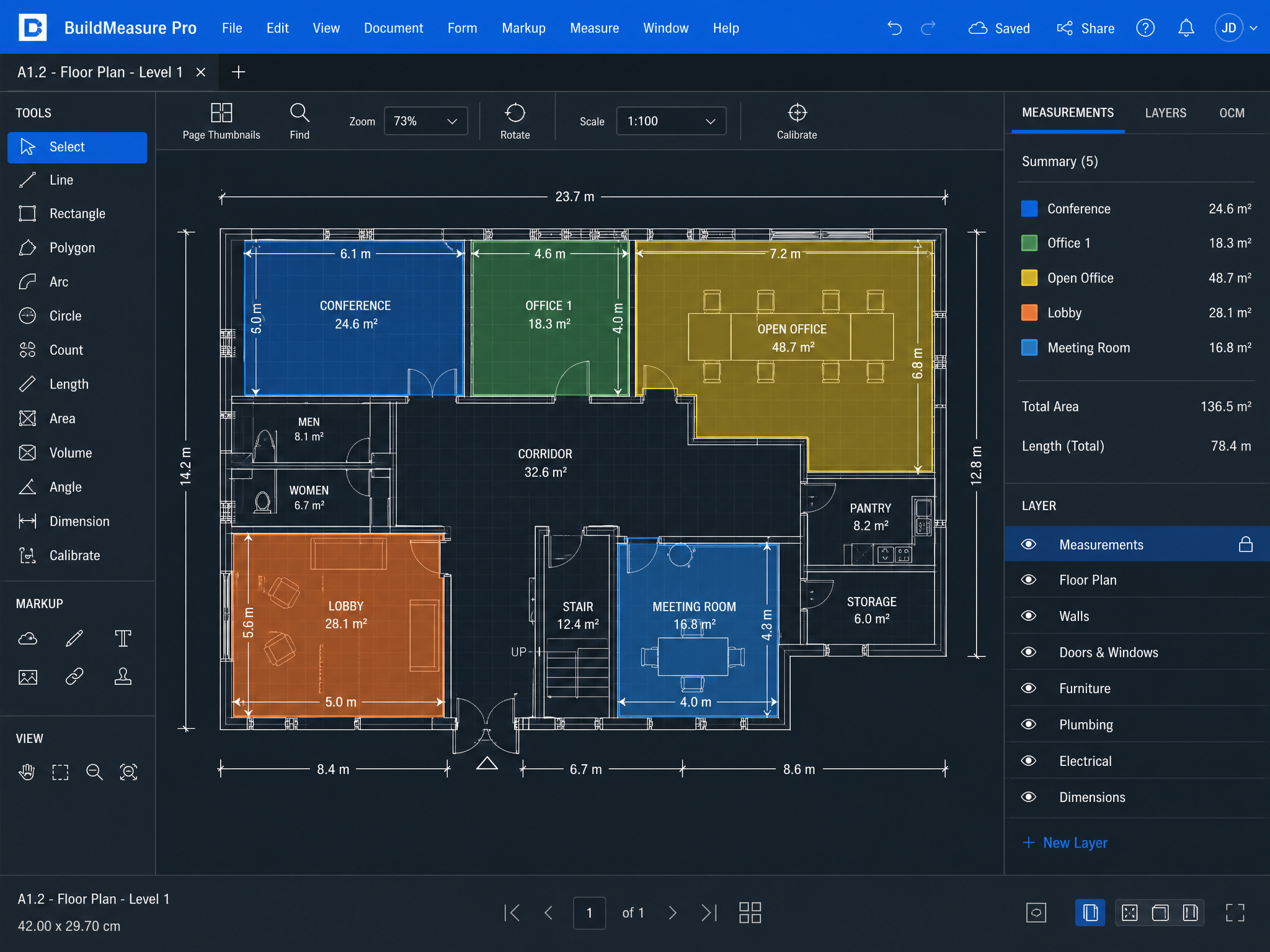
Measure your quantities directly on the plan, without leaving OneEstimate.
Upload the PDF, calibrate the scale, and measure areas, lengths, and counts on the drawing. Every measurement automatically feeds the item's calculation sheet, updating the budget in real time.
No credit card required · Instant access
80%
less time on quantification
0
transcription errors
100%
quantity ↔ plan traceability
Everything you need to quantify professionally
Six integrated capabilities that replace Bluebeam, PlanSwift, and spreadsheets. All in a single tool.
Upload & organize project plans
A dedicated "Plans" section within each budget. Upload project PDFs, organize by discipline (architecture, structure, MEP), and manage versions/revisions (Rev. A, Rev. B…) when clients send updated drawings.
💡 All project plans centralized alongside the budget. When a revision arrives, upload it and the system keeps an organized history.
Precise calibration (real scale)
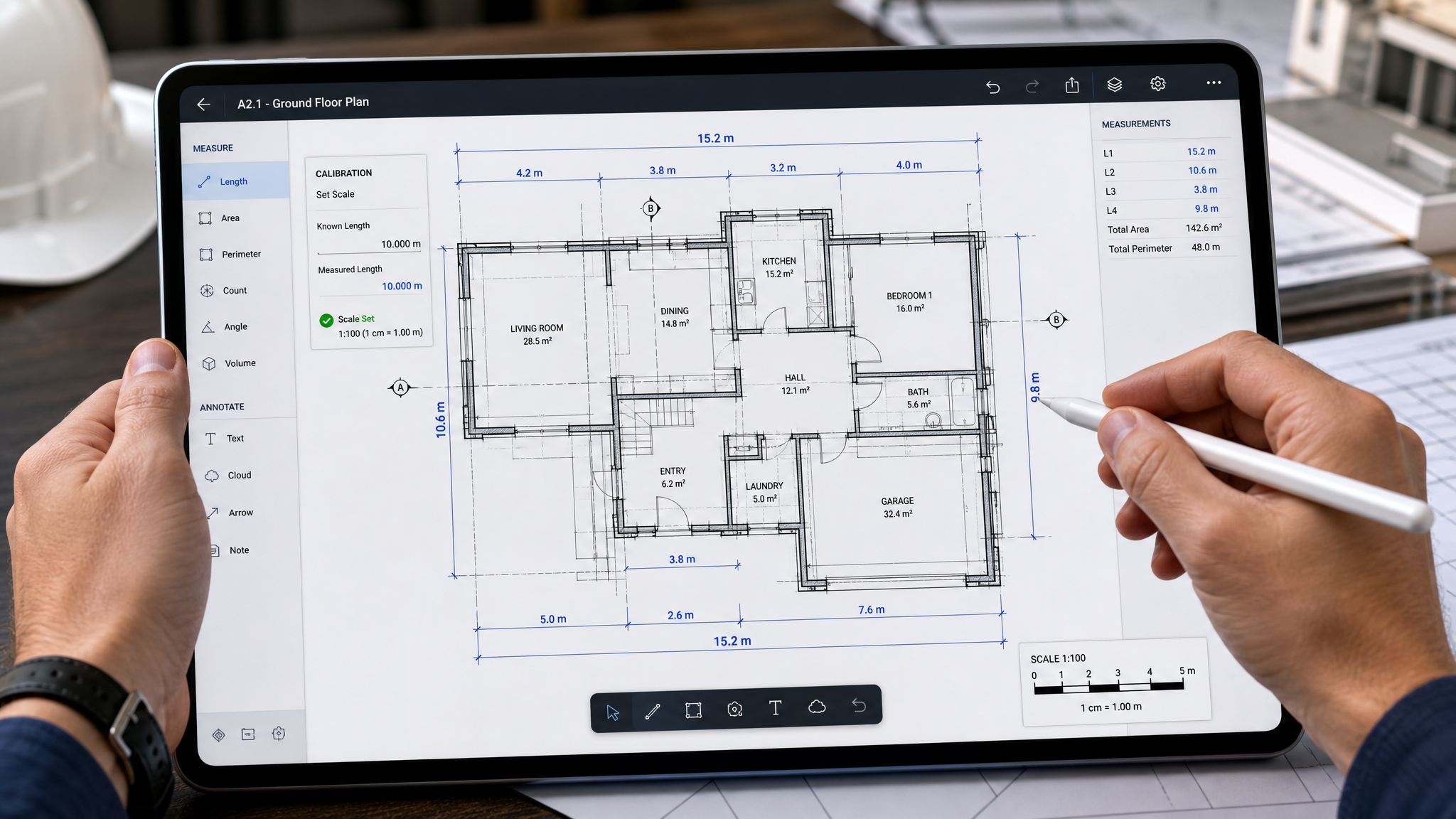
Trace a known distance on the plan (e.g., a 5 m dimension line) and the system calculates the scale automatically. From that point, all measurements reflect real dimensions.
💡 One calibration and all measurements are accurate. No manual conversions or scale errors.
Measure on the plan → feed the budget
Draw polygons (areas), polylines (lengths), points (counts), or volumes directly on the plan. Each measurement links to a budget item and automatically fills the calculation sheet.
💡 One workflow: measure and budget at the same time. No copying numbers between programs.
Deduct openings (net area)
Trace openings (doors, windows, ducts) inside an area polygon and the system subtracts automatically, calculating the real net area.
💡 More accurate budgets: don't overpay for materials on surfaces with openings. Better margins and more competitive proposals.
Full traceability (quantity ↔ plan)
Every quantity in the budget knows which plan, revision, and exact trace it came from. One click reopens the plan and highlights the polygon. Edit a trace and the quantity recalculates automatically.
💡 Perfect audit trail. When a client asks "where do these 220 m² come from?", show them painted on the plan in seconds.
Annotations, export & professional reports
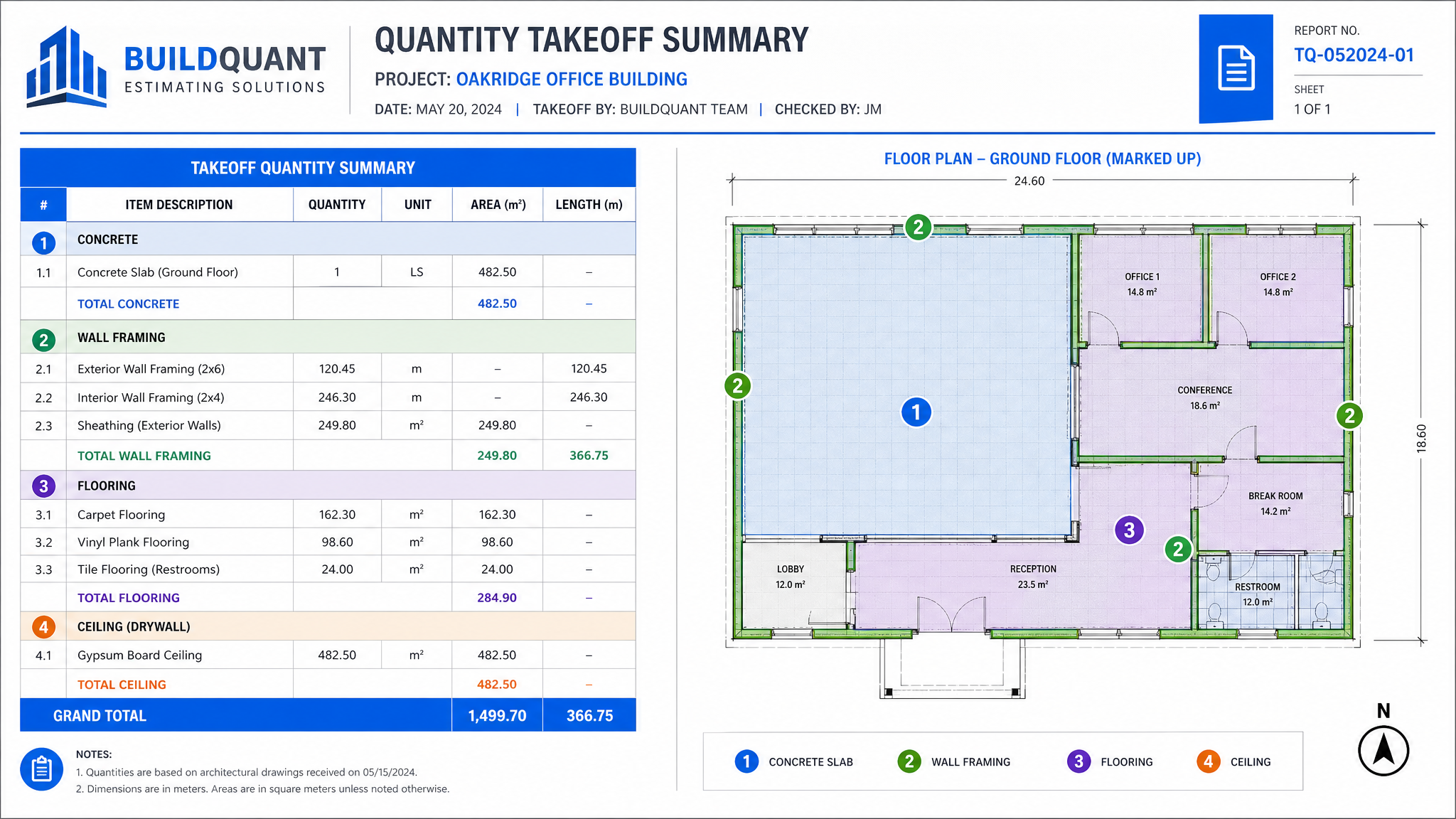
Place pins and notes on the plan organized by layers. Export to PDF or PNG with measurements and annotations drawn + summary table. Consolidated report by plan, grouped by section and item.
💡 Professional deliverables. The client receives a marked-up plan and a quantity report that backs every number in the proposal.
Goodbye to the fragmented workflow
Before you needed 3 or 4 tools. Now everything is in OneEstimate.
✕ Before (traditional workflow)
- — Open plan in Bluebeam or PlanSwift
- — Measure areas and lengths manually
- — Write down quantities on paper or Excel
- — Transcribe into budget software
- — Review for transcription errors
- — Go back to the plan if questions arise
Now with OneEstimate
- Upload the PDF and calibrate in 30 seconds
- Measure directly on the plan
- Quantity drops into the budget automatically
- Click a quantity → plan opens with trace highlighted
- Export marked-up plan + report in one click
- Zero transcription errors
How it works in 3 steps
Upload & calibrate
Load the plan PDF and trace a known dimension to set the real scale. The system calculates the conversion automatically.
Measure on the plan
Draw polygons, polylines, or points on the drawing. Each trace links to a budget item and feeds the calculation sheet.
Budget updated
Measured quantities reflect instantly in the budget. Export professional reports with marked-up plans and summary tables.
Benefits for professionals
Save up to 80% of time
Measure and budget in a single workflow. No transcribing numbers between programs or copying from paper to spreadsheets.
Millimeter precision
Exact calibration on the plan. Every measurement reflects real dimensions without manual conversions.
Bidirectional traceability
From the budget, see the exact trace on the plan. From the plan, see which item each measurement belongs to.
More competitive proposals
Exact net areas with opening deductions. Don't overpay for materials and improve your margins.
Everything in one place
Plans, measurements, budget, and reports on a single platform. No switching between 3 or 4 programs.
Painless updates
When revised plans arrive, upload the new version and measurements are maintained. Update only what changed.
Reports that build trust
Export marked-up plans with all measurements, annotations, and a quantity summary table. Professional deliverables that back every number in your proposal.
Who is this module for?
Estimators & Quantity Surveyors
Quantify directly on the plan without switching software. A continuous workflow from measurement to unit pricing.
Builders & Contractors
More accurate and faster proposals. Plan-to-quantity traceability builds client trust and reduces disputes.
Architecture Firms
Organize all project plans by discipline and version. Measure surfaces for early cost estimates.
Site Supervisors
Verify quantities on-site. Open the plan on your phone, tap a quantity, and see exactly where it came from.
Compare measurement plans
All measurement features are available from the Start plan ($19/mo). Higher plans unlock more plans, revision history, and professional reports.
| Feature | START ($19) | PRO ($49)Popular | BUSINESS ($99) |
|---|---|---|---|
| Plans per project | 1 | 4 | Unlimited |
| Measure & deduct openings | |||
| Revision history (Rev. A/B/C) | ✕ | ||
| Export plan (PDF/PNG) | ✕ | ✕ | |
| Annotations & layers (pins) | ✕ | ✕ | |
| Consolidated report | ✕ | ✕ |
Frequently Asked Questions
What plan formats are supported?
How does calibration work?
Do measurements connect to the budget automatically?
Can I deduct openings like doors and windows?
What happens when the client sends revised plans?
Is this different from the BIM module?
Can I export plans with measurements?
Does this module have an additional cost?
Start measuring on your plans today
Upload your first PDF, calibrate the scale, and generate a budget with traceable quantities. No installation needed.
Create AccountStart from $19/mo · Cancel anytime